
The IMEI code of your phone seems like just another number in the tangle of mobile settings, but in reality it is a kind of unique fingerprint that can save you in very complicated situations and help you in others that you can't even imagine.
What is the IMEI code and why you should have it on hand
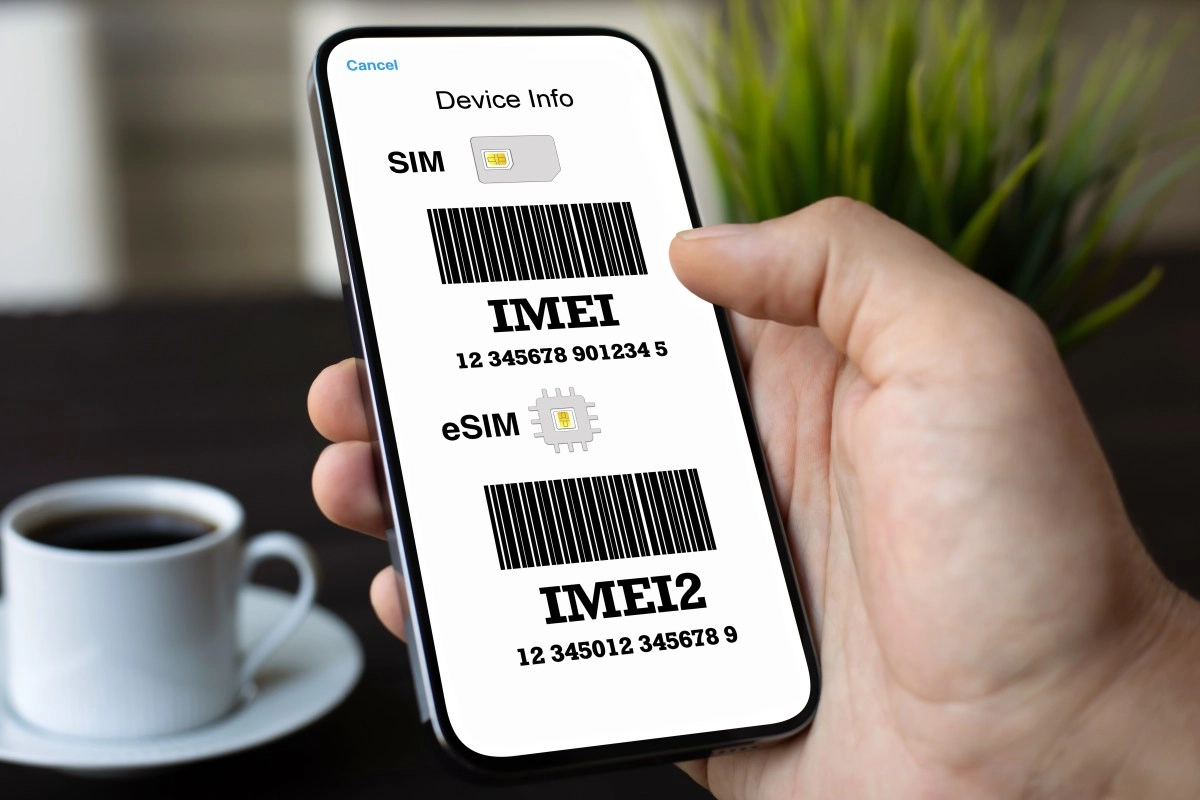
The IMEI comes from International Mobile Equipment Identity and is a numerical code, usually 15 digits, that uniquely identifies your mobile device on the world's networks. There are no two phones with the same IMEI and it is associated with the hardware, not with the SIM or your phone number, so it is something like the permanent ID of your mobile.
When your phone connects to the mobile network, it sends its IMEI to the operator so they can recognize the device, validate that it is legitimate, and apply the appropriate policies, from basic service to blocking due to theft. This logic makes the IMEI a much more important piece of information than it seems because it is used to:
Having your IMEI written down somewhere safe works in your favor because it is used in key processes with the operator, the manufacturer and online verification services. In short, it's one of those pieces of information that seems irrelevant... until the day you need it to regain control over your phone.
Situations in which the IMEI can save you
The classic case is theft. If your phone is lost or stolen, your operator can use the IMEI to lock the device on the network, so that it cannot be used even if they change the SIM card or try to reconfigure it. It is a blockade at the infrastructure level that turns the phone into little more than a brick and discourages it from continuing to circulate on the black market.
It also serves something equally useful but less dramatic. When you buy a second-hand mobile phone or on advertising pages, you can enter the IMEI in verification services to check if it is reported as stolen, if it appears on black lists or if the model they sell you matches the one it really is. Before you spend money for that “bargain”, the IMEI helps you avoid ending up with a blocked or suspicious device.
Another situation where the IMEI suddenly appears is in customer service. Many brands and operators ask for the IMEI to validate the warranty, manage repairs, process promotions or activate specific services linked to the device. Having it located speeds up the entire process, especially if you no longer have the bill on hand or if you are far from the phone itself.
Even when there is no drama, the IMEI can be useful. Some services and websites use the code to show you hidden technical information about the device, from hardware to warranty status and configuration details that aren't on the box. For those who regularly fiddle with cell phones, it is another tool in the digital survival kit.
How to know the IMEI of your phone step by step
The good part is that obtaining your IMEI is very simple and there are several ways. Ideally, you should have it written down in a secure note, in a password manager or even in a document that you can consult if you lose your phone.
These are the most common ways to see your IMEI:
On iPhone, the typical path is Settings, then General, then Information, where you'll see the IMEI among the device data. If you like to have everything controlled from software, this option is the cleanest.
On many models the IMEI is also printed on the back of the device or under the battery on phones with a removable cover. Some manufacturers place it in the SIM card tray or near the memory slot, so removing the tray may reveal the number label.
On iPhone, the logic is similar through the iCloud website, within Settings and the My devices section, where the associated IMEI is displayed. It is a very useful way to recover data remotely.
As you can see, it is not an inaccessible code or reserved for technicians. You have it with two taps on the keyboard, a few gestures in the settings or literally printed on the box. The key is to write it down before you need it and don't wait until you lose your phone to look for it desperately.
IMEI, security and calmer digital life
Thinking about the IMEI as something secondary is an understatement. This number intersects with your security, with your economy and with your daily relationship with the phone that you always carry with you. It helps you block a stolen mobile phone, check if a second-hand device is reliable, manage warranties and technical support, and verify that what you buy is really what they promise you.
At a time when we have spent half our lives on smartphones, details such as the IMEI cease to be technical curiosities and become key pieces of your personal mobile security strategy. You don't need to memorize it, but you do need to have it located and know how to find it in seconds, because it is just that piece of information that can help you when you least expect it and make the difference between losing everything or maintaining control.