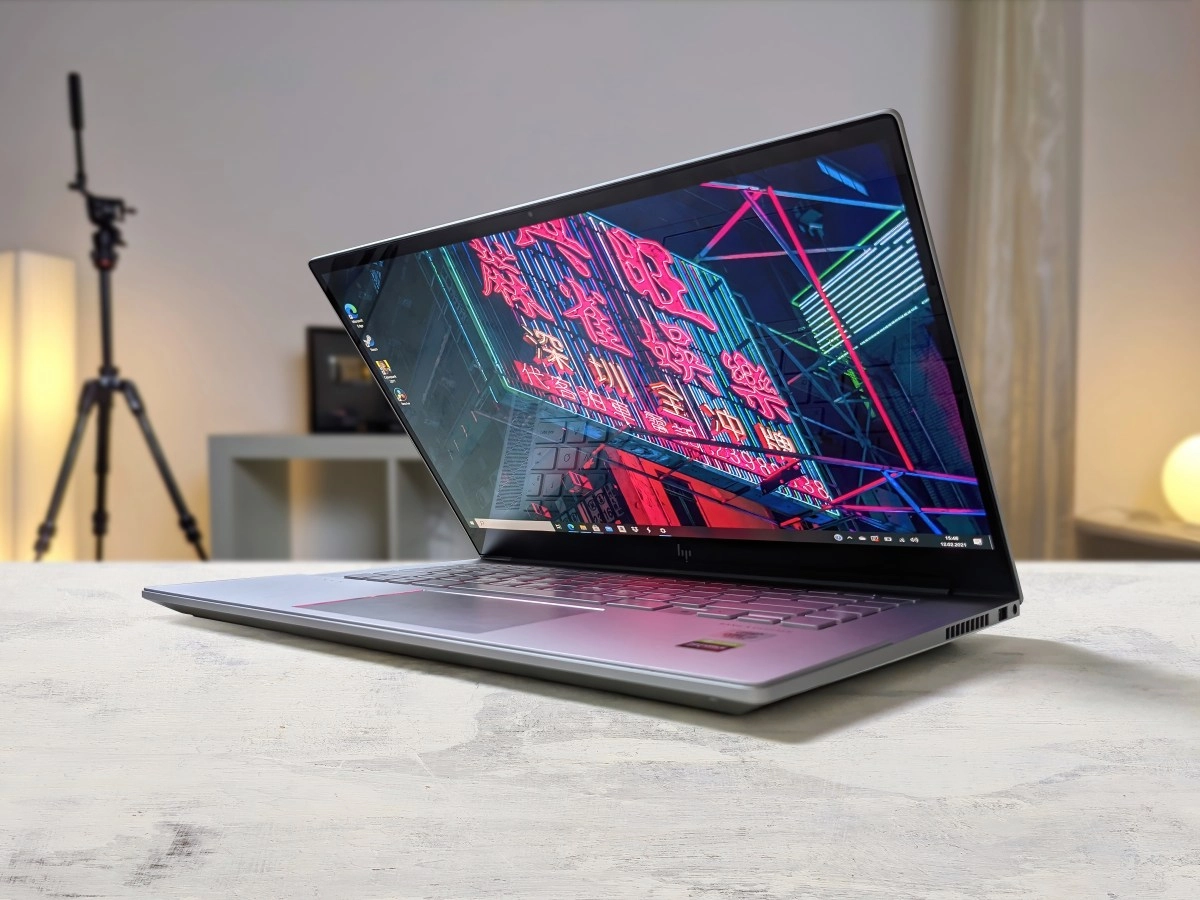

When you go to renew your laptop, the first thing you look at is the processor, RAM or storage. Okay, that makes sense. But there is something that many people forget—or outright ignore—and that ends up being the most important of all: the screen. It's what you're going to have in front of your eyes for hours and hours every day, and choosing it wrong can ruin your entire experience no matter how powerful the rest of the equipment is.
Today we have to talk seriously about two technologies that will dominate the laptop market in 2026: IPS panels and OLED panels. None are perfect, none are bad for everyone, and knowing which one is best for you can save you money or, better yet, give you exactly what you need without overspending.
Why panel technology defines your experience
Before getting into the details, it's worth understanding what differentiates these two types of screens at their core. IPS (In-Plane Switching) panels work with LED backlighting that illuminates all pixels at the same time. The result is a stable image, with faithful colors and excellent viewing angles of up to 178 degrees, meaning you can view the screen from almost any position without distorting colors.
OLED (Organic Light Emitting Diode) panels, on the other hand, work completely differently: each pixel lights up individually and can be turned off completely when it needs to display black. This eliminates backlighting and produces contrast that literally has no limit, with absolutely pure blacks and colors that seem to jump off the screen. The visual difference between watching a movie on an OLED and an IPS can be so marked that it is difficult to believe that you are watching the same content.
Everything IPS panels do well (and at a price that doesn't hurt)
IPS panels are the most common in mid-range laptops for a very simple reason: they offer the most balanced experience for their price. They are not surprising in any specific aspect, but they do not seriously fail in any aspect either. And that, when we talk about daily work tools, is worth a lot.
If you use your laptop mainly for working, browsing, editing documents, making video calls, or even for moderate photo editing, a good IPS panel perfectly covers all of those needs. With coverage of the sRGB color spectrum that can exceed 95% and reasonable response times, these panels also perform well in creative tasks and even in gaming.
Another no small advantage: IPS have higher maximum brightness compared to many OLEDs, which makes them more comfortable in brightly lit environments or if you work near windows with direct natural light. In addition, they have no risk of burn-in – the dreaded screen burn-in that can affect OLEDs when static images are displayed for a long time – and their useful life is usually longer and more predictable. From a budget standpoint, you can get laptops with very good quality IPS displays for under $700, and even decent models for much less.
What makes OLEDs a next-level screen
If you've ever watched content on a laptop with an OLED panel, it's hard to forget. The contrast is infinite, the colors have a depth that no IPS can replicate, and the HDR experience is spectacular without the need for additional adjustments. This makes them the ideal screen for those who edit video, work in graphic design or simply want to enjoy series and movies to the fullest.
But OLEDs have more strengths than they are usually recognized for. Their response time is practically instantaneous, which makes them exceptional for gaming—especially in titles with demanding graphics and a lot of movement. Additionally, as each pixel turns off individually when it does not need light, power consumption can be lower than in an IPS if you use dark themes in your operating system, which can extend battery life.
The DCI-P3 color coverage they offer—typically above 100%—makes them the preferred choice for photographers, videographers, and any creative professional who needs pro-level color fidelity. And although historically burn-in was its great Achilles heel, modern OLED panels include so many protection mechanisms—both at the hardware and software level—that this problem is no longer as relevant as it was a few years ago.
The price is still higher: a laptop with good quality OLED usually starts at $800 to $1,000 for serious proposals, although brands like ASUS have managed to lower that barrier with models that cost around $700 with 2.8K resolution OLED panels. Even so, if the budget is tight, that price jump can tip the balance.
How to decide based on your actual usage and budget
This is where it all becomes practical. Perfect display technology does not exist in the abstract; It exists based on what you need to do.
If you are a student, work in an office, make frequent video calls or browse the Internet a lot, a well-chosen IPS panel is more than enough. Its contrast is around 1,000:1, the colors are precise and natural, the maximum brightness is higher than that of OLED in direct light conditions, and its entry price of $400 makes it very accessible. Plus, with no risk of burn-in, it's a worry-free display for daily use for years. Look for at least 300 nits of brightness, sRGB coverage greater than 90%, and at least Full HD resolution.
If you edit video or photography professionally, play demanding titles, or simply value having the best viewing experience possible, the jump to OLED is worth every penny. The contrast is infinite thanks to each pixel turning off independently, the colors are extremely vivid, the response time is practically instantaneous for the most demanding gaming, and if you use dark themes in your operating system, the battery can last longer than with a traditional IPS. Aim for models with 2K or higher resolution, high DCI-P3 coverage, and a budget from $700 to $1,000 for really solid options.
And if your budget is somewhere in between, consider options with high-end IPS panels or Mini LED, a technology that divides the backlight into hundreds of independent zones to get closer to the contrast of OLED without reaching its price levels - although it also does not reach its pure blacks or its response time.
What is clear is that neither technology is a mistake. A well-specified IPS on a mid-range laptop can give an excellent experience for 80% of users. An OLED elevates that experience to another level for those who work with visual content or want the best available. The key is to be honest with what you're really going to do with your laptop and what you can spend today, because a poorly chosen screen is something you're going to notice—and regret—for the next three or five years of use.